 Speedometer GPS
Your speed, straight from the satellites.
A huge green readout of how fast you're moving right now — km/h or mph, one tap to switch — with distance, top speed, average and trip time underneath. Smoothed against GPS jitter, honest about its own accuracy, and no internet needed.


One screen. Nothing to learn.
Open it, allow location, and the number is already there. Everything else on the screen is there to tell you what the number is worth.
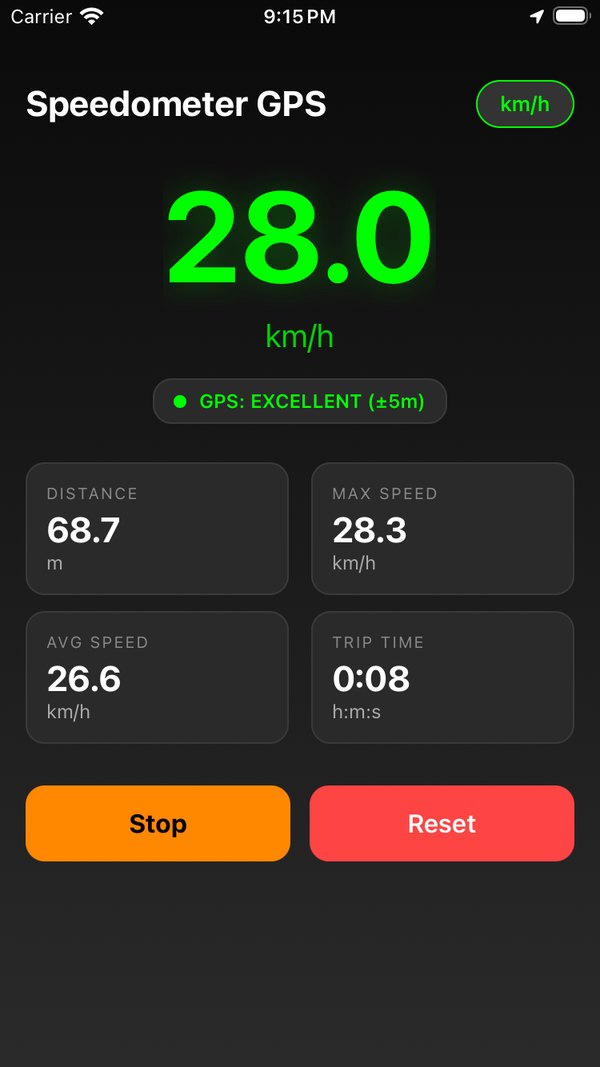
- The number. Your current speed, in your unit, big enough to read from the passenger seat. It's a rolling average of the last five one-second fixes, so it reads steady instead of twitching.
- The GPS pill. EXCELLENT, GOOD, FAIR or POOR, with the accuracy radius in metres — colour-coded — or SEARCHING… when there's no fix yet. Your honesty meter.
- The trip computer. Distance (m/km or ft/mi), max speed, average speed while moving, and trip time, each in its own card.
- Start · Stop · Reset · Save. Live speed shows the moment you open the app; trip stats count from the moment you press Start. Reset clears them, Save keeps the trip in your history.
- The unit button. km/h ⇄ mph with one tap. Distance follows, and the choice is remembered next time.
It tells you when to trust it.
Every GPS fix comes with an accuracy radius. The pill under the number shows it live, in five states, and the app uses it to decide what counts.
No stale numbers
If no valid fix arrives for five seconds — a tunnel, a parking garage, airplane mode — the speed drops to 0 and the pill says SEARCHING instead of freezing on the last value.
No phantom distance
Movement under 5 m between fixes is ignored, and under 10 m once you've been sitting still, so a parked phone doesn't rack up kilometres on GPS drift. Distance only counts while you're actually moving.
No teleporting
A jump of more than 200 m in a single second is thrown out, and max speed is taken from the smoothed value — one glitchy sample can't lock in a bogus top speed for the whole trip.
Small app. Built for glancing.
Dark screen, green digits, nothing that needs a second look. Here's the whole feature list.
Real-time GPS speed
Best-for-navigation accuracy, a fresh fix every second, smoothed over five readings. Fixes worse than ±20 m are shown in the pill but never used for speed or distance.
km/h or mph, one tap
Metric shows metres then kilometres; imperial shows feet then miles. Tap the unit button any time — your choice is saved for next time.
Trip computer
Distance, max speed, average speed while moving, and elapsed time. Start and Stop when you like, Reset to wipe, Save to keep.
HUD mode
A mirrored, full-screen readout on pure black. Lay the phone on the dash at night and read your speed in the windshield. The screen stays awake while you're in it.
Trip history & routes
Save up to 50 trips with their stats and the GPS points you recorded. On iPhone, open one and the route is drawn on Apple Maps — no routing service, no account.
Offline. No account.
GPS doesn't need data, so neither does the app — airplane mode, no roaming, open water. Nothing is uploaded; readings and saved trips live on your phone. Haptics on every button, because it's nice.
Read your speed in the windshield.
Put the phone flat on the dashboard at night, screen up. The glass reflects it — mirrored. So HUD mode mirrors it first: huge digits, a pure black background so only the number shows up in the reflection, and the screen stays awake for as long as you're in it.
- Mirrored, so the reflection reads the right way round
- Black background — only the digits reflect
- Screen stays awake; tap Exit HUD to come back
- Same smoothing and units as the main screen
Works best after dark, with the phone flat and close to the glass. A non-slip mat helps. Watch the road, not the phone.
Save the drive. Keep the route.
Tap Save Trip after a drive, a ride or a paddle and it goes into Trips: date, distance, top speed, average, time and the GPS points you recorded along the way. Up to 50 trips, kept on the phone, deleted when you say so.
- Distance, max, average and time per trip
- Route drawn on Apple Maps on iPhone, from your own points
- Pull to refresh, tap to open, Delete when done
- Stored on the device — no account, no upload
The route map uses Apple Maps and is iPhone-only; on Android, saved trips show their stats. Routes are trimmed to 500 points per trip to stay light.
Dark, green, done.
The store screenshots, as shipped. There isn't a settings page to show you.
Tracking, metric
Speed on top, the GPS pill under it, the trip computer below. Stop pauses the stats; Reset wipes them.
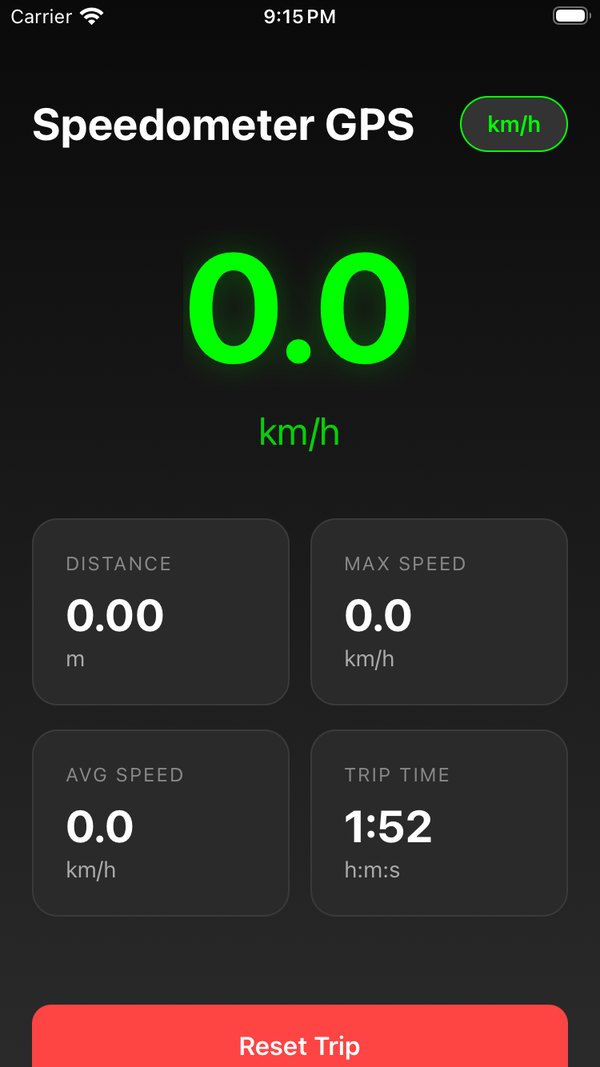
Between trips
Live speed keeps showing while the trip computer sits at zero. Press Start and the counters begin.
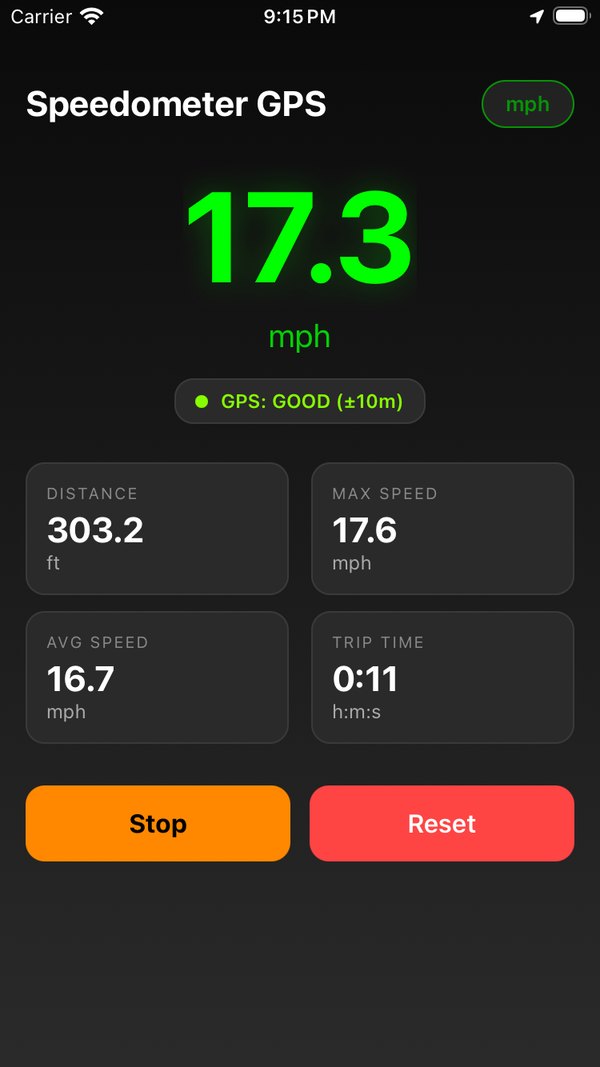
Tracking, imperial
Same screen in mph: feet until a tenth of a mile, then miles. One tap on the unit button, and it sticks.
The short answers.
Is it free?
Yes. It's free and ad-supported: a small banner at the bottom of the main screen and, now and then, a full-screen ad after you reset a trip. No subscription, no in-app purchases, nothing locked.
Does it work without internet?
Yes. Speed comes from GPS satellites, not from the network, so it works in airplane mode, abroad without data, at sea and in the backcountry. Only the ads need a connection.
How accurate is the speed?
The app shows the speed your phone's GPS receiver reports, smoothed over the last five one-second readings. At a steady speed with a good fix that's typically within a couple of km/h — often closer to true ground speed than a car's dashboard, which is allowed to read high. Expect a second or two of lag under hard acceleration or braking, and keep an eye on the GPS pill: it shows the fix quality and accuracy radius at all times.
Why does it need my location? Does it track me?
Location is what speed and distance are calculated from. The app asks for while-in-use location only — there's no background tracking — and nothing is uploaded: live readings and saved trips stay in the phone's own storage. The app shows ads; on iOS it asks for App Tracking Transparency consent first and serves non-personalised ads if you decline.
Will it drain my battery?
GPS at one fix per second is real work for a phone, and HUD mode keeps the screen on. For a long drive, ride or sail, plug it in. There's no background tracking, so closing the app stops everything.
What's HUD mode?
A full-screen, mirrored version of the speed readout on a pure black background. Lay the phone on the dashboard at night and the windshield reflects it the right way round, so you read your speed in the glass. The screen stays awake while HUD mode is on; tap Exit HUD to come back.
Can I see the route I took?
Yes. Tap Save Trip and the trip — distance, max, average, time and the GPS points you recorded — goes into Trips. On iPhone, open a saved trip and the route is drawn on Apple Maps from your own recorded points. On Android, saved trips show their stats. Up to 50 trips are kept, on the phone.
Car, bike, boat, running — what's it for?
Anything that moves. GPS speed is ground speed, so it's especially useful where there's no speedometer at all — boats, kayaks, bikes, scooters, trains, sleds — or when you want a second opinion on the one you have. There's a whole blog of GPS-speed know-how if you're into that.
How fast are you going?
Find out.
Free. No account. Works where there's no signal bar at all.