 Speedometer GPS
Your speed, straight from the satellites.
A big green readout of how fast you're moving right now, inside a dial that fills as you accelerate — km/h, mph or knots, one tap to switch — with heading, altitude, distance, top speed, average and trip time underneath. Smoothed against GPS jitter, honest about its own accuracy, and no internet needed.


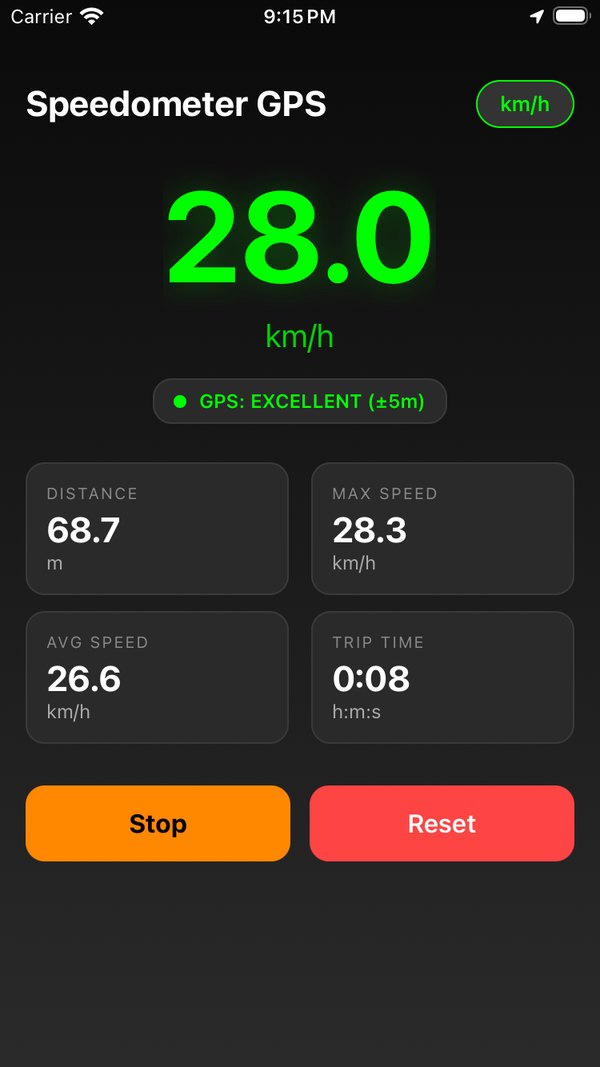
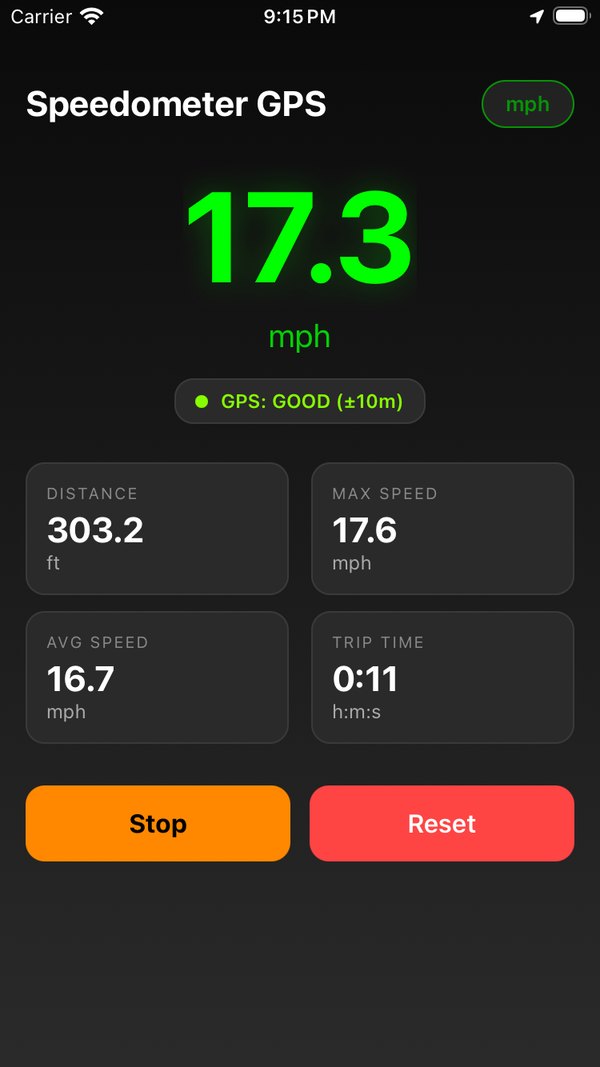
One screen. Nothing to learn.
Open it, allow location, and the number is already there. Everything else on the screen is there to tell you what the number is worth.
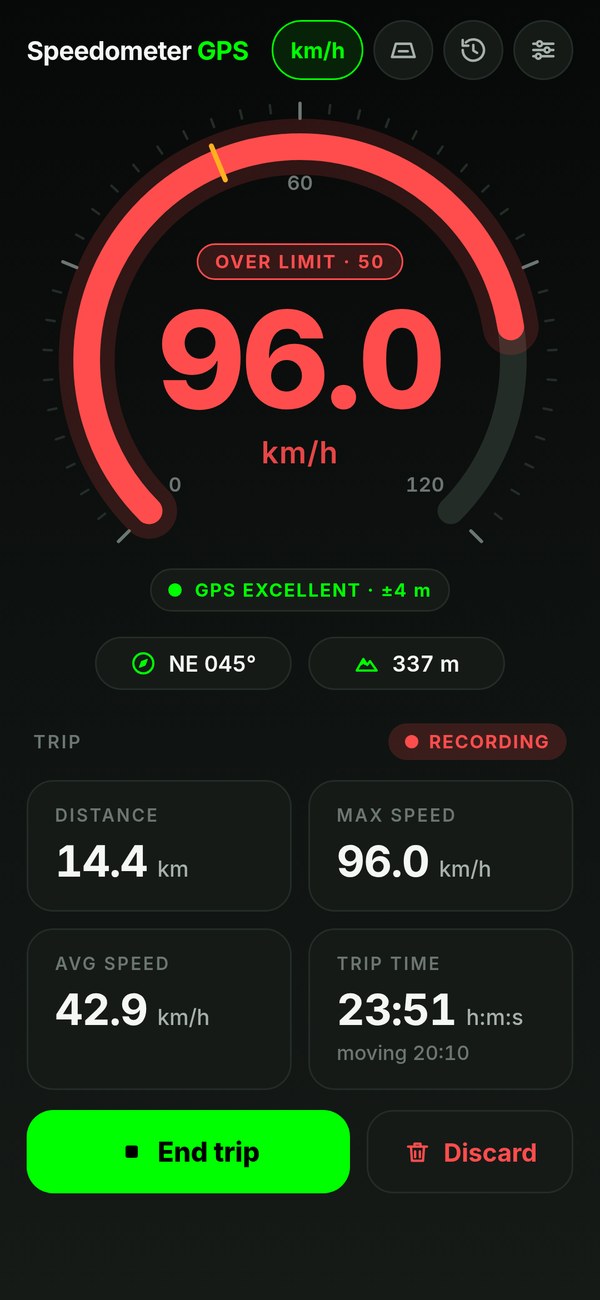
- The dial. Your current speed, big enough to read from the passenger seat, inside an arc that fills as you go. It auto-ranges: a fine 0–60 scale on a bike, 0–120 or 0–240 on the highway, up to 1,200 km/h on a plane. Rolling average of the last five one-second fixes, so it reads steady instead of twitching.
- The GPS pill. EXCELLENT, GOOD, FAIR or POOR, with the accuracy radius in metres — colour-coded — or SEARCHING… when there's no fix yet. Your honesty meter.
- Heading and altitude. Compass direction with degrees, and your altitude in metres or feet, straight from the same GPS fix.
- The trip meter. Distance (m/km, ft/mi or nautical miles), max speed, average speed while moving, trip time and moving time, each in its own card — as accurate on foot or by bike as in the car.
- No Start button. The trip starts itself once you're moving and saves itself after you park, recording with the screen off in between. End trip saves it now; Discard drops it.
- The unit button. km/h → mph → knots with one tap. Distance follows, and the choice is remembered next time.
Set a limit. It buzzes when you pass it.
Pick a limit in Settings — presets for city, road and highway, in whichever unit you use — and forget about it. A marker sits on the dial where the limit is. Cross it and the whole readout turns red, an OVER LIMIT badge appears, and the phone buzzes: once as you pass, then every ten seconds until you're back under.
- Readout and dial turn amber near the limit, red over it
- Buzzes and beeps on crossing — audible on silent — and again every 10 s while over
- Works in HUD mode too — the mirrored digits go red at full brightness
- Off by default; a few km/h of hysteresis so it never chatters
GPS speed is ground speed, typically within a couple of km/h at a steady pace. Treat the alarm as a nudge, not a legal instrument.
It tells you when to trust it.
Every GPS fix comes with an accuracy radius. The pill under the number shows it live, in five states, and the app uses it to decide what counts.
No stale numbers
If no valid fix arrives for five seconds — a tunnel, a parking garage, airplane mode — the speed drops to 0, the dial dims and the pill says SEARCHING instead of freezing on the last value.
No phantom distance
Distance is measured from the last point that counted, so GPS drift of a few metres around a parked phone never adds up, while a slow walk still counts every step. A trip doesn't even start until you're really moving.
No teleporting
A jump of more than 200 m in a single second is thrown out — unless the receiver's own speed says you really are on a plane — and max speed is taken from the smoothed value, so one glitchy sample can't lock in a bogus top speed.
Small app. Built for glancing.
Dark screen, green digits, nothing that needs a second look. Here's the whole feature list.
Real-time GPS speed
Best-for-navigation accuracy, a fresh fix every second, smoothed over five readings, inside an animated dial that auto-ranges from bike speeds to airliner speeds.
Speed limit alarm
Set a limit; the readout goes red and the phone buzzes and beeps when you pass it, and again every ten seconds until you slow down. Presets per unit.
Compass & altitude
Your heading — N, NE, E… plus degrees — and altitude in metres or feet, right under the readout. Handy on the water, on a trail, or on an unfamiliar road.
HUD mode
A mirrored, full-screen readout on pure black. Lay the phone on the dash at night and read your speed in the windshield. Flip it back to normal to hold it up. Screen stays awake.
Trips that record themselves
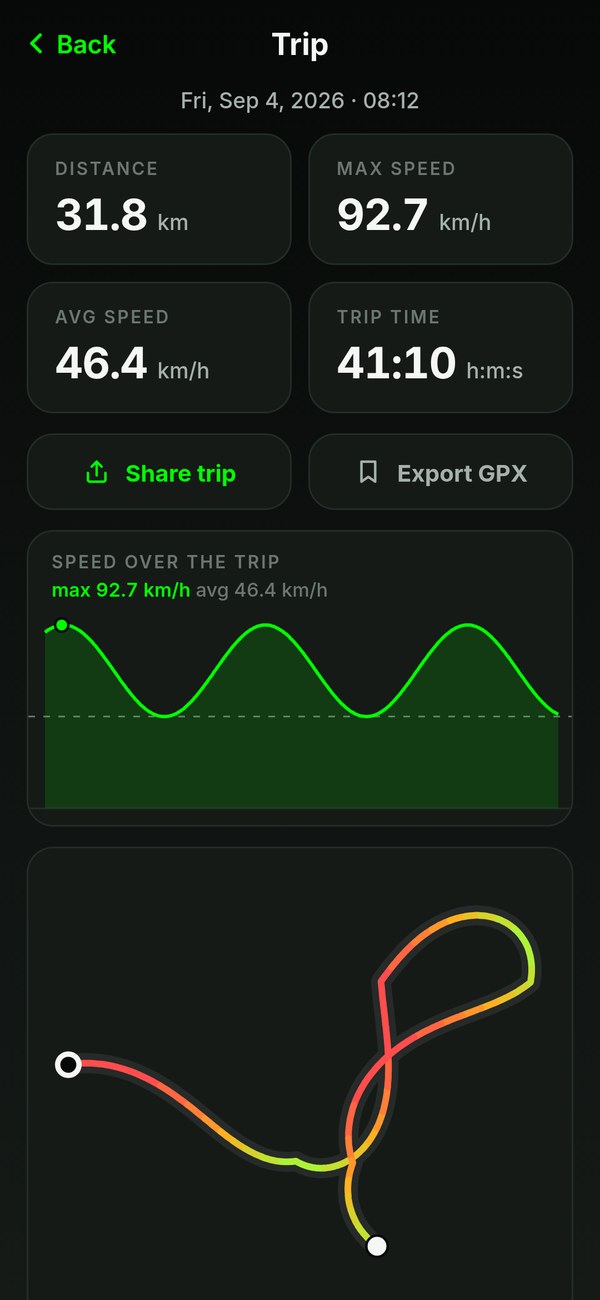
No Start button: every trip is kept with its stats and the GPS points you recorded, even with the screen off. A lifetime odometer adds them up; every trip gets a route coloured by speed, a speed chart, GPX export and a share card, with a badge for a new top speed or a distance milestone.
On top of your maps
On iPhone, a trip puts your speed on the Lock Screen and in the Dynamic Island, over Maps or any other app. On Android, one tap shrinks the speedometer into a small window on top of your maps — no special permission, red over the limit, gone with a swipe; Pro floats it by itself when you leave the app mid-trip.
Offline. No account. Knots.
GPS doesn't need data, so neither does the app — airplane mode, no roaming, open water. km/h, mph or knots with nautical miles. Nothing is uploaded; readings and saved trips live on your phone. In English, Spanish, Portuguese, German, French, Italian, Japanese, Chinese (Simplified and Traditional), Korean, Russian, Turkish, Indonesian, Vietnamese, Polish and Dutch.
Read your speed in the windshield.
Put the phone flat on the dashboard at night, screen up. The glass reflects it — mirrored. So HUD mode mirrors it first: huge digits, a pure black background so only the number shows up in the reflection, and the screen stays awake for as long as you're in it.
- Mirrored, so the reflection reads the right way round
- Black background — only the digits reflect
- Flip toggle for holding the phone up instead; works in landscape too
- Full brightness, screen stays awake, goes red over your speed limit
Works best after dark, with the phone flat and close to the glass. A non-slip mat helps. Watch the road, not the phone.
Every drive, kept. Route and all.
No Start button to forget. A drive, a ride or a paddle goes into Trips by itself: date, distance, top speed, average, time and moving time, plus the GPS points you recorded along the way, with a little thumbnail of the route. The Trips screen adds it all up into a lifetime odometer. The latest 100 trips, kept on the phone, deleted when you say so.
- Distance, max, average, time and moving time per trip
- Odometer: total distance, top speed and time across every trip
- Route drawn full size — Apple Maps on iPhone, a route sketch on Android — and a speed-over-time chart
- Export the track as GPX, or share a card with the numbers and the route
- Keeps recording with the screen off — and if the app is closed mid-drive, it picks the trip back up
- A “Trip saved” card to share, with badges for a new top speed or a distance milestone
- Totals for the last 7 days, the month and the year — share them as a recap card
- Export the whole trip log as a spreadsheet (CSV) with Pro
Routes are trimmed to 500 points per trip to stay light. Nothing leaves the phone unless you share or export it.
Dark, green, done.
The store screenshots, as shipped.
The dashboard
Dial on top, the GPS pill and compass under it, the trip below — recording from the moment you move. End trip saves it now; Discard drops it.
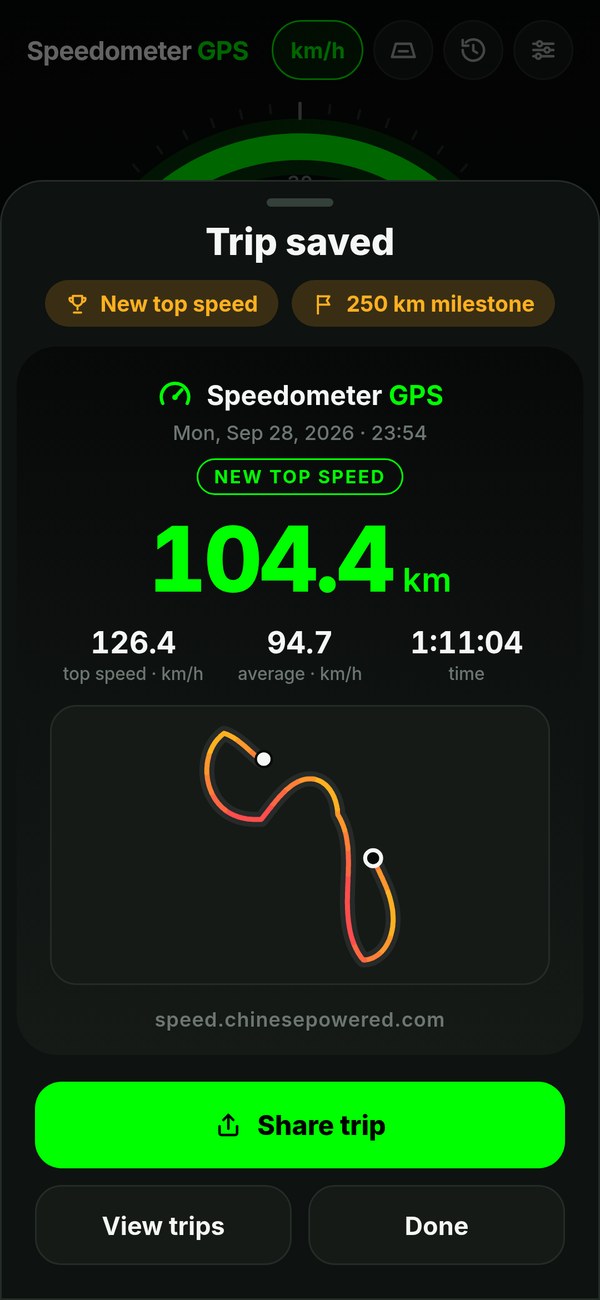
Trip saved
The moment a trip ends: a card to share, with a badge when you beat your top speed or pass a lifetime milestone.
Over the limit
Red readout, red dial, a badge with your limit, and a buzz in your hand. Amber as you approach it.
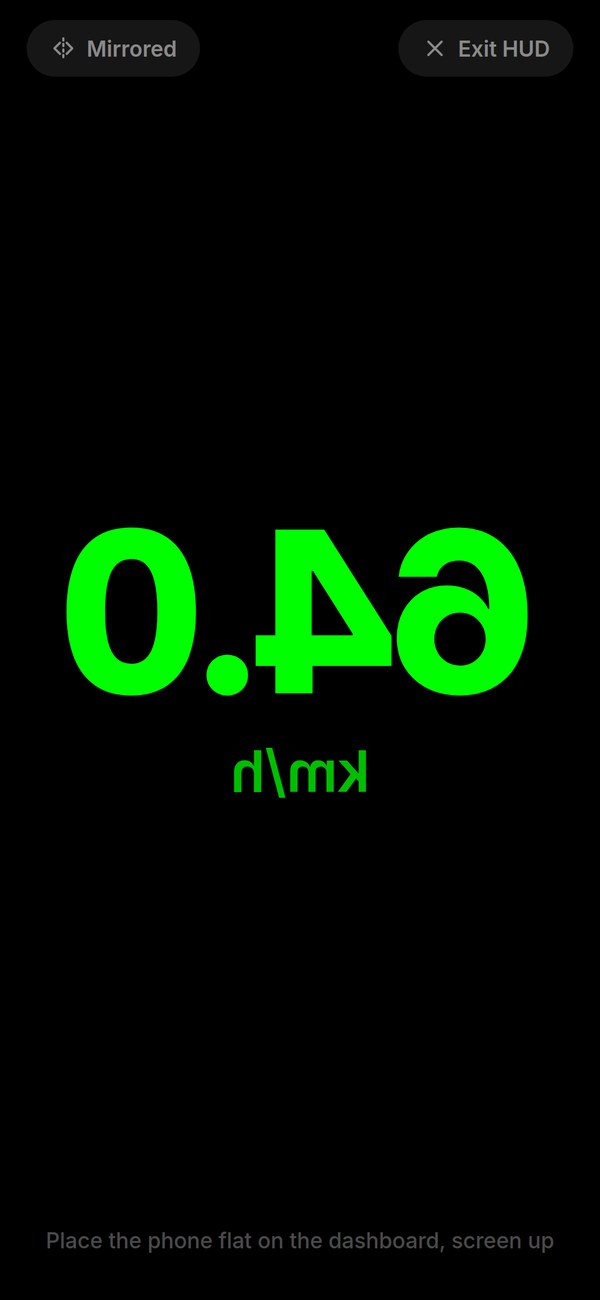
HUD mode
Mirrored for the windshield, black so only the digits reflect, a flip toggle for hand-held use.
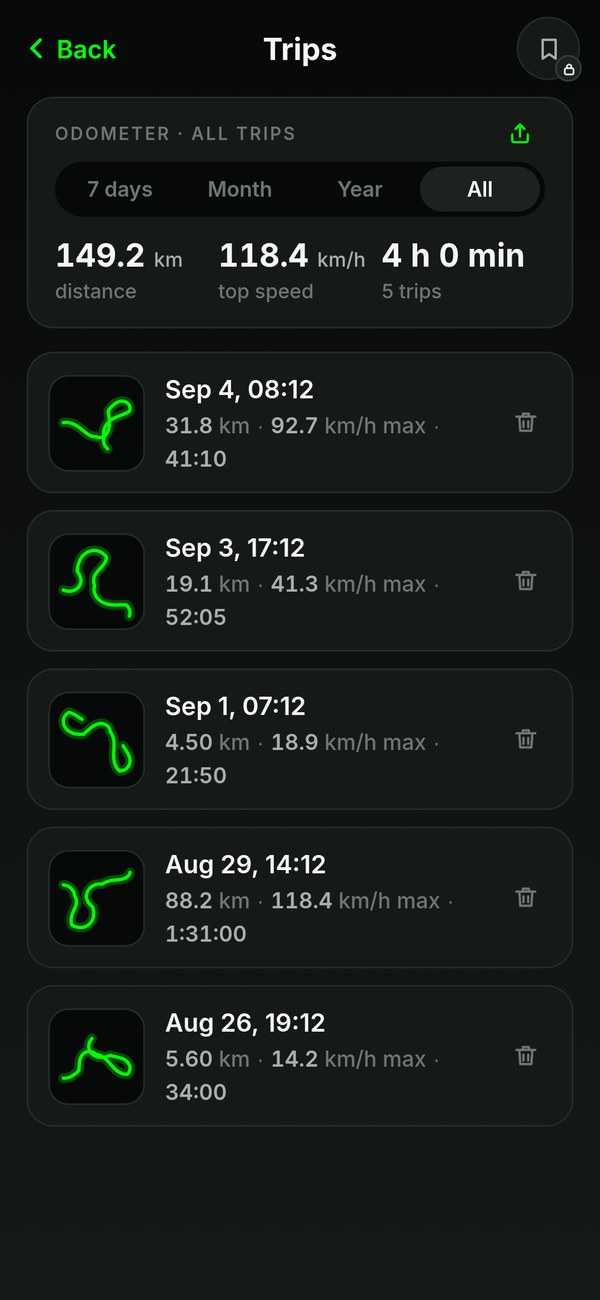
Trips & odometer
Every saved trip with a route thumbnail, and totals on top — for the last 7 days, the month, the year or all time, ready to share as a recap.
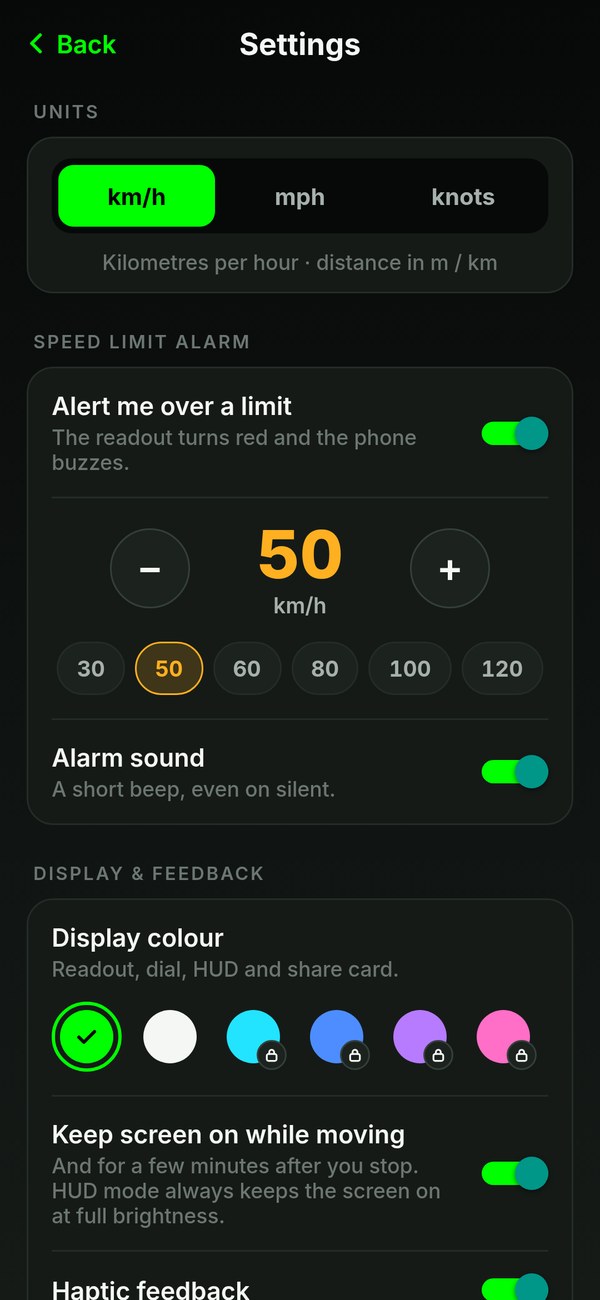
Settings
Units, the alarm and its beep, display colours, screen-off recording, keep-screen-on, haptics — and a way to tell us what you think.
The short answers.
Is it free?
Yes. It's free and ad-supported: a small banner at the bottom of the main screen and, now and then, a full-screen ad after a trip — never while you're moving. An optional one-time Pro purchase removes the ads, unlocks more display colours, exports your trips as a spreadsheet (CSV) and, on Android, floats the speedometer by itself when you leave the app mid-trip; every other feature works without it. No subscription.
Can I see my speed on top of Google Maps?
On Android, yes: tap the float button on the dial and the speedometer becomes a small window over your maps or any other app — Android's own picture-in-picture, no special permission. It turns red over your limit, and you move, expand or close it like any floating window. With Pro it floats by itself when you leave the app mid-trip. On iPhone, a trip puts your speed in the Dynamic Island (on iPhones that have one) over Maps or any other app, and on the Lock Screen.
Do I have to press Start?
No. Open the app and go: a trip starts by itself as soon as you're moving — walking pace or faster — and saves itself once you've been parked for about 10 minutes. Locked the phone before setting off? A drive that starts within 5 minutes is still caught. Tap End trip to save it straight away, or Discard to drop it.
Does it work without internet?
Yes. Speed comes from GPS satellites, not from the network, so it works in airplane mode, abroad without data, at sea and in the backcountry. Only the ads need a connection.
How accurate is the speed?
The app shows the speed your phone's GPS receiver reports, smoothed over the last five one-second readings. At a steady speed with a good fix that's typically within a couple of km/h — often closer to true ground speed than a car's dashboard, which is allowed to read high. Expect a second or two of lag under hard acceleration or braking, and keep an eye on the GPS pill: it shows the fix quality and accuracy radius at all times.
What does the speed limit alarm do?
Set a limit in Settings — presets for city, road and highway in km/h, mph or knots. When you pass it the readout turns red, a marker shows on the dial and the phone buzzes and beeps (the beep plays even on silent, and can be switched off), again every ten seconds until you slow back down. It's off by default.
Why does it need my location? Does it track me?
Location is what speed, distance, heading and altitude are calculated from. The app asks for while-in-use location only. While a trip is recording — and for up to 5 minutes after you leave the app, so a drive that starts right after you lock the phone is caught — it keeps receiving location with the screen off, with the iPhone location indicator or an Android notification showing; you can turn that off in Settings. Nothing is uploaded: live readings and saved trips stay in the phone's own storage. The app shows ads; on iOS it asks for App Tracking Transparency consent first and serves non-personalised ads if you decline.
Will it drain my battery?
GPS at one fix per second is real work for a phone. While a trip records with the screen off, GPS runs until about 10 minutes after you stop moving; HUD mode and keep-screen-on use more, because the screen stays lit. For a long drive, ride or sail, plug it in — or turn off screen-off recording in Settings.
What's HUD mode?
A full-screen, mirrored version of the speed readout on a pure black background. Lay the phone on the dashboard at night and the windshield reflects it the right way round, so you read your speed in the glass. There's a flip toggle for holding it up instead. The screen stays awake while HUD mode is on; tap Exit HUD to come back.
Can I see the route I took?
Yes. Every trip goes into Trips by itself — distance, max, average, time and the GPS points you recorded — with a thumbnail of the route. Open it and the route is drawn full size, coloured by speed from cyan where you crawled to red where you were fastest: on Apple Maps on iPhone, and as a route sketch from your own points on Android, with a speed chart above it. Export it as GPX or share it as a card. The latest 100 trips are kept, on the phone, and the Trips screen adds up a lifetime odometer.
Does it show knots?
Yes. Units are km/h, mph or knots; in knots, distance is shown in nautical miles, and the heading and altitude under the readout are what make it useful on the water.
Car, bike, boat, running — what's it for?
Anything that moves. GPS speed is ground speed, so it's especially useful where there's no speedometer at all — boats, kayaks, bikes, scooters, trains, sleds — or when you want a second opinion on the one you have. There's a whole blog of GPS-speed know-how if you're into that.
How fast are you going?
Find out.
Free. No account. Works where there's no signal bar at all.